🔒 완전히 새로워진 락키 2.0🔒 Lockey 2.0 is here

보내는 글을
키보드에서 바로 잠그기
Lock your messages
right from the keyboard

락키는 글과 사진을 잠가 보내는 한글 키보드예요. 카톡·문자·메일 어디서든 [잠그기]만 누르면 쓰던 글이 잠긴 글로 바뀌고, 같은 열쇠를 가진 사람만 풀어 볼 수 있어요. Lockey is a Korean (Hangul) keyboard that locks what you send. Tap [Lock] in any chat, mail or SNS app and your text turns into a locked message only people with your key can open.

무료 · 광고 없음 · 계정·로그인 없음 Free · No ads · No account or sign-in

🔑
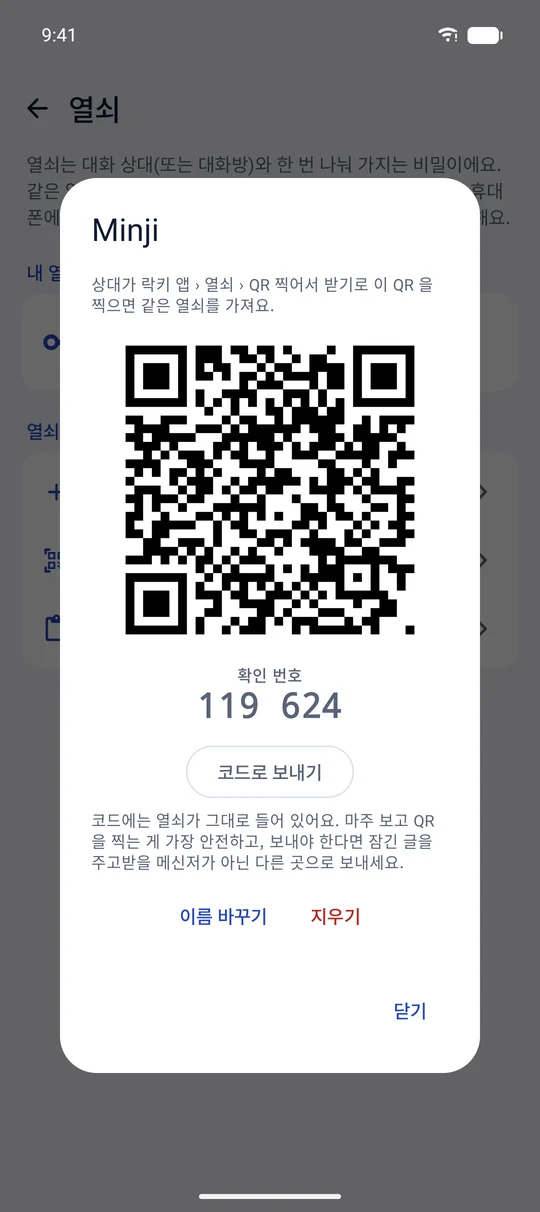
대화 상대별 열쇠A key for each contact 마주 보고 QR 을 찍으면 둘만 아는 열쇠가 생겨요. Scan a QR code face to face and you share a key only you two have.
🖼
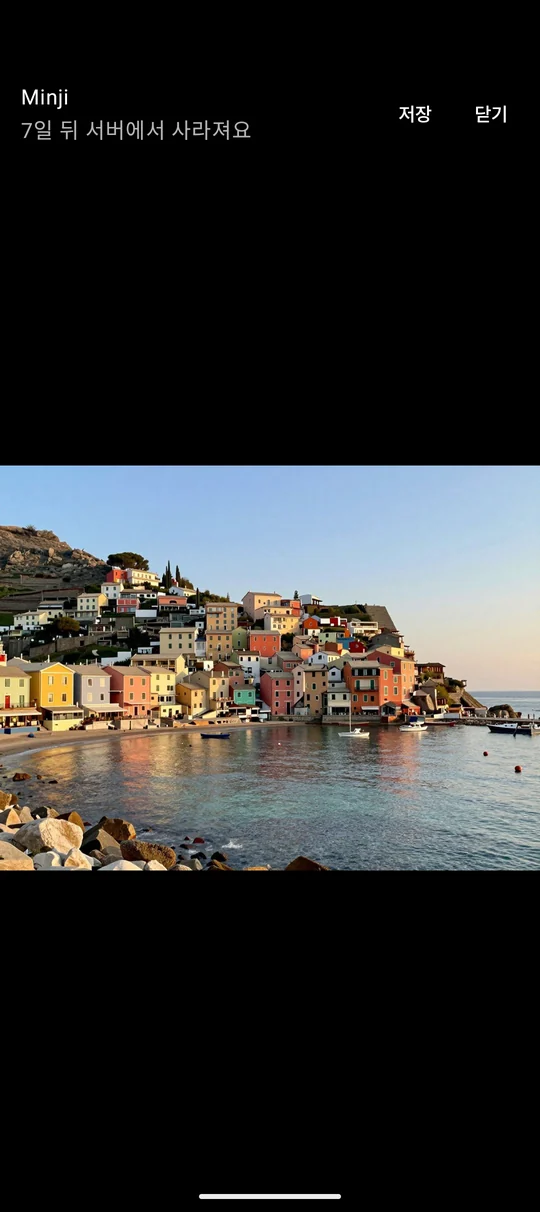
사진도 잠가서Lock photos too 휴대폰에서 잠근 암호문만 올리고, 7일 뒤 지워요. Only the encrypted file is uploaded, and it's deleted after 7 days.
가
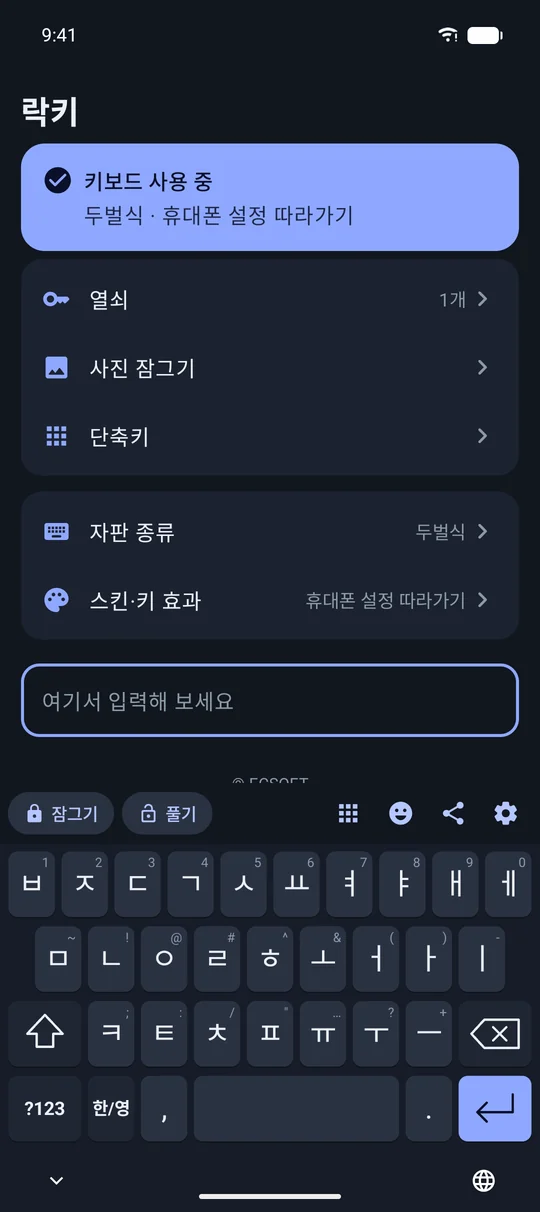
익숙한 한글 키보드The Hangul keyboard you know 두벌식·천지인·나랏글 등, 라이트·다크 모드와 스킨까지. Dubeolsik, Cheonjiin, Naratgul and more, with light/dark mode and skins.
잠그기Lock

[잠그기] 한 번이면
쓰던 글이 잠긴 글로
One tap turns your text
into a locked message

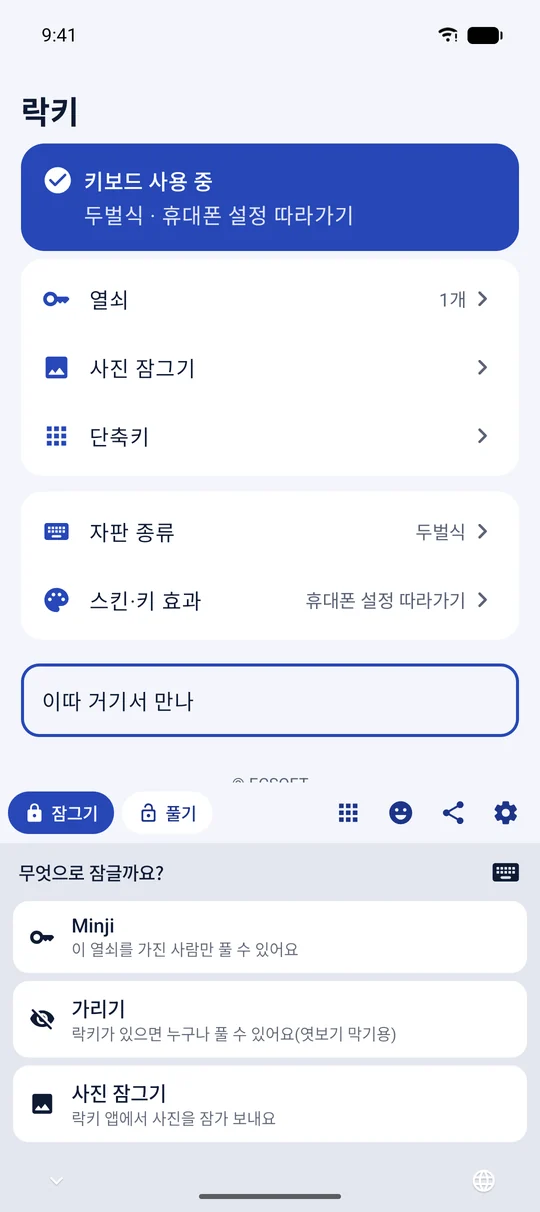
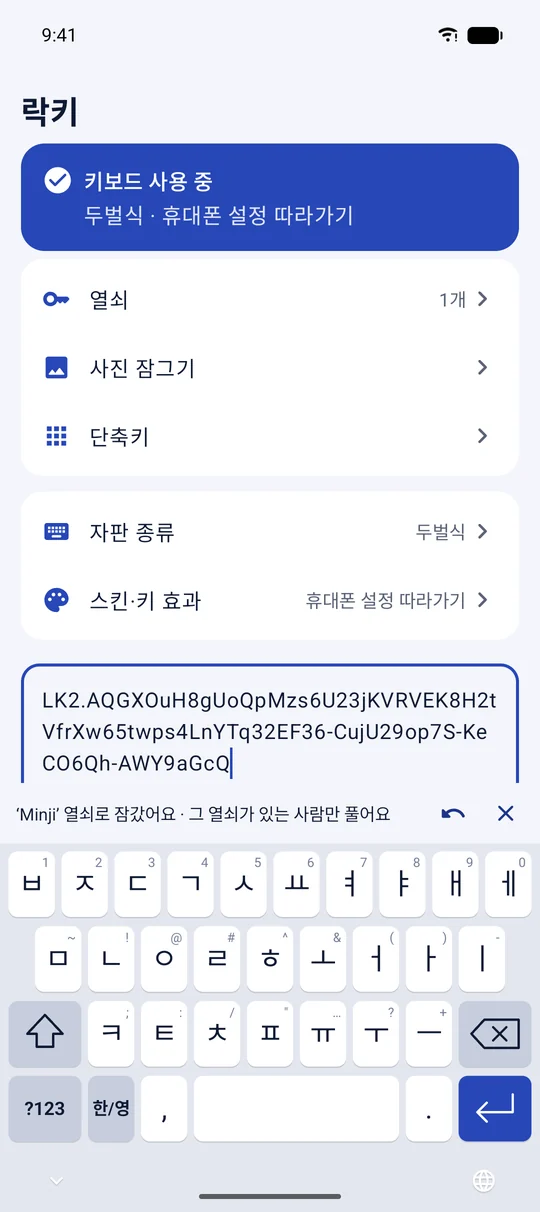
키보드 기능 줄의 [잠그기]를 누르고 열쇠만 고르면 입력칸의 글이 바로 잠긴 글로 바뀌어요. 그대로 보내면 돼요. 열쇠가 없으면 아무도 읽을 수 없어요.

Tap [Lock] above the keyboard, pick a key, and the text in the input field becomes a locked message. Just send it — without the key, nobody can read it.

  • [되돌리기]로 언제든 원래 글로[Undo] brings your original text back
  • 가리기: 락키가 있으면 누구나 보되, 어깨 너머로는 안 보이게Veil: anyone with Lockey can read it, but not over your shoulder
  • 링크도 잠가 보낼 수 있어요Links can be locked too
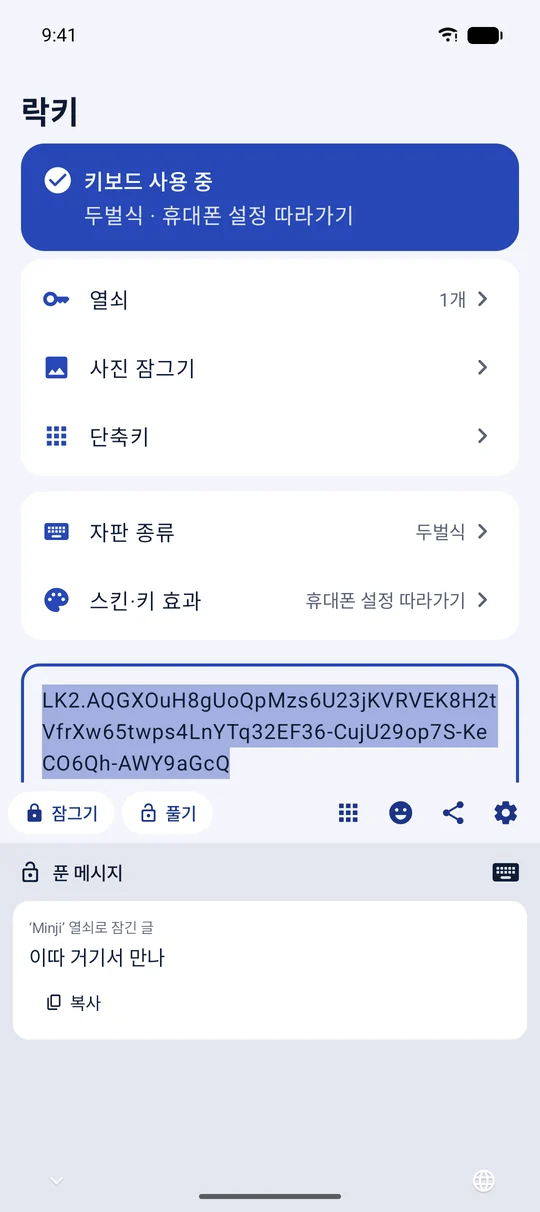
보내면 이렇게 보여요What the other person sees LK2.AQ4tY0b…
풀기Unlock

받은 글은
키보드에서 바로 풀어 보기
Read locked messages
right in the keyboard

잠긴 글을 복사하면 키보드에 “잠긴 메시지 · 보기”가 떠요. 푼 내용은 키보드 안에서만 보여 주고, 입력칸이나 어디에도 남기지 않아요.

Copy a locked message and the keyboard offers to show it. The unlocked text is shown only inside the keyboard — it's never typed into the field or saved anywhere.

  • 안드로이드: 글자를 길게 눌러 “락키로 풀기”Android: long-press text and choose “Unlock with Lockey”
  • 아이폰: 키보드의 [풀기]를 누르면 고른 글이나 복사한 글을 풀어요iPhone: tap [Unlock] to open the selected or copied message
  • 예전 락키보드로 가린 글도 풀어 볼 수 있어요Messages veiled with the old Lockeyboard still open
열쇠Keys

대화 상대마다
나만의 열쇠
A different key
for every contact

상대와 마주 보고 QR 코드를 찍으면 둘만 아는 열쇠가 생겨요. 두 휴대폰에 같은 확인 번호가 보이면 제대로 나눈 거예요.

Scan each other's QR code and you'll share a key only the two of you have. If both phones show the same check number, you're set.

  • 멀리 있으면 초대 코드를 다른 메신저로 보내도 돼요Far away? Send an invite code through another messenger
  • 열쇠는 내 휴대폰 안에만 — 서버로 보내지 않고 백업에도 넣지 않아요Keys stay on your phone — never sent to a server or put in backups
사진Photos

사진도
잠가서 보내기
Send photos
locked, too

사진을 휴대폰에서 잠근 뒤 암호문만 올려요. 사진을 여는 열쇠는 잠긴 메시지 안에만 있어서, 회사도 사진 내용을 볼 수 없어요.

Photos are encrypted on your phone and only the encrypted file is uploaded. The key to open it travels inside the locked message, so even we can't see your photo.

  • 서버에는 7일만 두고 자동으로 지워요Deleted from the server automatically after 7 days
  • 받는 사람은 메시지를 풀면 사진을 볼 수 있어요The recipient sees the photo when they unlock the message
키보드Keyboard

손에 익은 한글 자판,
나만의 스킨까지
Your Hangul layout,
your own skin

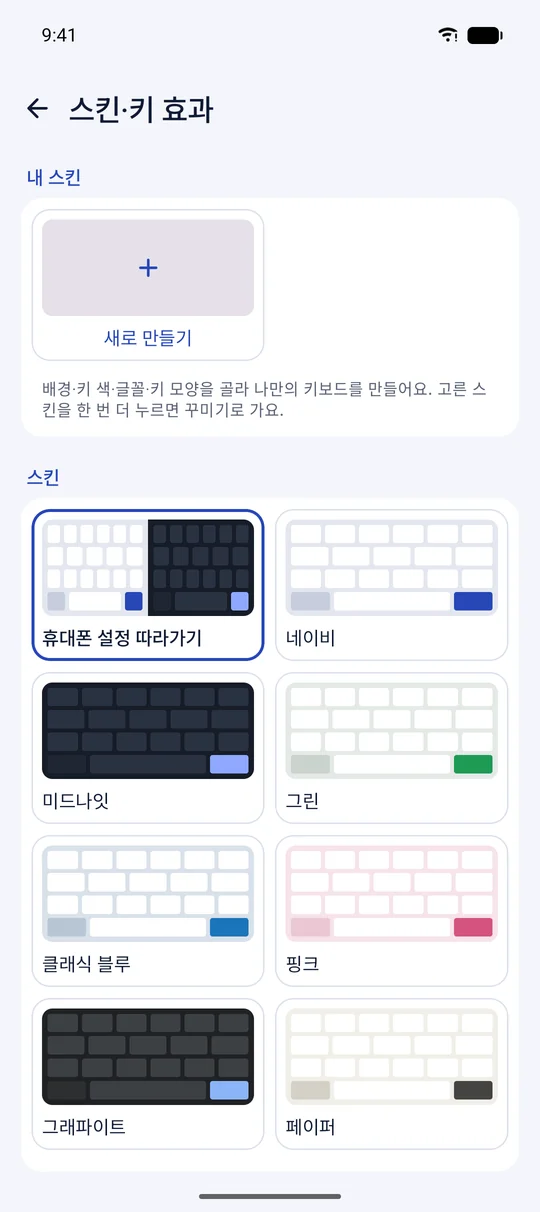
두벌식·천지인·나랏글·베가·단모음·세벌식과 영어(QWERTY) 자판을 써요. 라이트·다크 모드에 맞춰 색이 바뀌고, 7가지 스킨에 사진·글꼴·키 모양으로 나만의 키보드를 꾸밀 수 있어요.

Dubeolsik, Cheonjiin, Naratgul, Vega, Danmoum, Sebeolsik and English (QWERTY). Colors follow light or dark mode — pick one of seven skins or make your own with a photo, fonts and key shapes.

두벌식천지인나랏글베가단모음세벌식QWERTY DubeolsikCheonjiinNaratgulVegaDanmoumSebeolsikQWERTY
  • 단축키: 자주 쓰는 문구를 한 번에(안드로이드는 앱 바로 열기도)Shortcuts: insert saved phrases in one tap (and open apps on Android)
  • 이모지, 소리·진동, 키 높이 조절Emoji, sound and haptics, key height
개인정보Privacy

잠그는 키보드라서,
더 조심해요
A keyboard for secrets
should keep them

글을 잠그고 푸는 일은 모두 휴대폰 안에서 해요. 계정·로그인·광고가 없고, 서버와 주고받는 것은 잠긴 사진의 암호문뿐이에요.

Locking and unlocking happen entirely on your phone. There's no account, sign-in or ads — the only thing our server ever receives is the encrypted file of a locked photo.

개인정보 처리방침 전문 보기 →Read the full Privacy Policy →
✓
평소 입력은 저장·전송하지 않아요What you type stays on your phone 일상적으로 치는 글은 어디에도 남기거나 보내지 않아요. Your everyday typing is never stored or sent anywhere.
✓
열쇠는 휴대폰 밖으로 나가지 않아요Your keys never leave your phone 열쇠는 기기 안 안전한 저장소(Android Keystore · iOS 키체인)에 두고 백업하지 않아요. Keys live in secure storage (Android Keystore · iOS Keychain) and are left out of backups.
✓
사진은 암호문만, 7일 뒤 삭제Photos: encrypted only, gone in 7 days AES-256 으로 휴대폰에서 잠근 뒤 올리고, 서버에서 자동으로 지워요. Encrypted with AES-256 on your phone before upload, then deleted automatically.
시작하기Get started

1분이면 켤 수 있어요Up and running in a minute

Android

  1. Google Play 에서 락키를 설치해요.
  2. 락키 앱을 열고 안내에 따라 ‘락키 키보드 켜기’를 눌러요.
  3. ‘락키를 기본 키보드로 선택’을 누르면 끝!
  1. Install Lockey from Google Play.
  2. Open the app and follow “Turn on the keyboard”.
  3. Choose Lockey as your keyboard — done!

iPhone

  1. 설정 › 일반 › 키보드 › 키보드 › 새로운 키보드 추가 › 락키
  2. 락키를 눌러 ‘전체 접근 허용’을 켜요.
  3. 입력할 때 🌐 를 눌러 락키로 바꿔요.
  1. Settings › General › Keyboard › Keyboards › Add New Keyboard › Lockey
  2. Tap Lockey and turn on “Allow Full Access”.
  3. While typing, tap 🌐 to switch to Lockey.

전체 접근은 앱에서 만든 열쇠를 키보드가 읽는 데 필요해요. 복사한 글을 풀려면 설정 › 락키 › 다른 앱에서 붙여넣기 › 허용. Full Access lets the keyboard read the keys you made in the app. To unlock copied text, set Settings › Lockey › Paste from Other Apps › Allow.

자주 묻는 질문FAQ

궁금한 점Questions

받는 사람도 락키가 있어야 하나요?Does the other person need Lockey?

네. 잠긴 글은 락키로만 풀 수 있어요. 열쇠로 잠근 글은 같은 열쇠를 나눈 사람만, 가리기로 보낸 글은 락키가 있는 누구나 볼 수 있어요.

Yes. Locked messages open only in Lockey. A message locked with a key opens only for people who share that key; a veiled message opens for anyone with Lockey.

휴대폰을 바꾸면 열쇠는 어떻게 되나요?What happens to my keys on a new phone?

열쇠는 백업되지 않아서 새 휴대폰으로 옮겨지지 않아요. 새 휴대폰에서 상대와 열쇠를 다시 나눠 주세요. 그래서 예전 휴대폰의 열쇠가 다른 곳에 남을 일도 없어요.

Keys aren't backed up, so they don't move to a new phone — share new keys with your contacts there. That also means your keys never end up anywhere else.

예전 락키보드로 보낸 글도 열리나요?Can I open messages from the old Lockeyboard?

예전 락키보드로 가린 글은 2.0에서도 풀어 볼 수 있어요. 개인 PIN 으로 잠갔던 글은 열 수 없어요. 2.0으로 잠근 글은 2.0 이상에서 열려요.

Messages veiled with the old Lockeyboard open in 2.0. Messages locked with a personal PIN can't be opened. Messages locked in 2.0 need version 2.0 or later.

돈이 드나요?Does it cost anything?

무료예요. 앱 안 구매도 광고도 없어요.

It's free, with no in-app purchases and no ads.

지금 락키로 잠가 보내 보세요Start sending locked messages

무료, 계정 없이 바로 써요.Free, and no account needed.